


OnSnap
4.41.00 Reviews
App Specs
- Version
- 1.0.9
- Updated On
- License
- Free
- Downloads
- 100,000+
- Developer
- 香港瀚洋國際控股集團有限公司
- Categories
- Music & Audio
- Platform
- Android
Screenshots
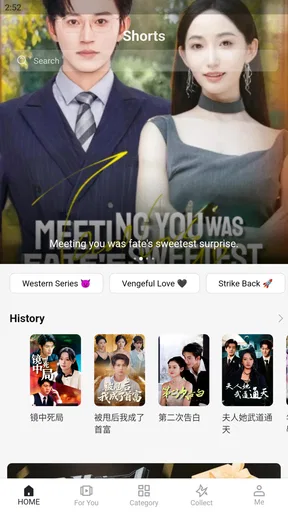
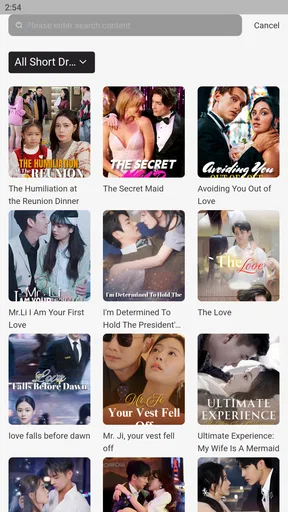

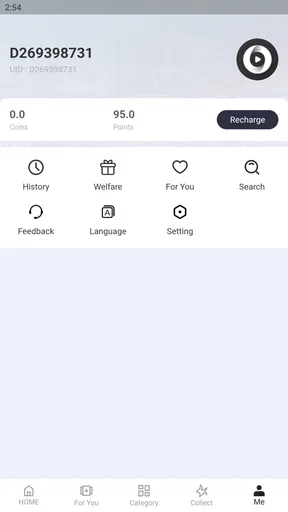
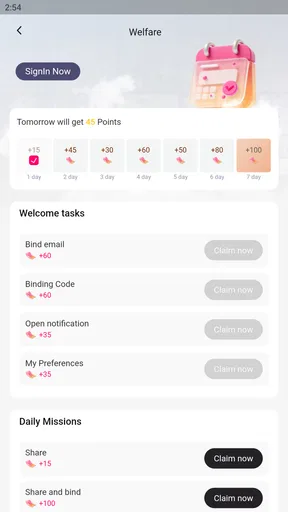
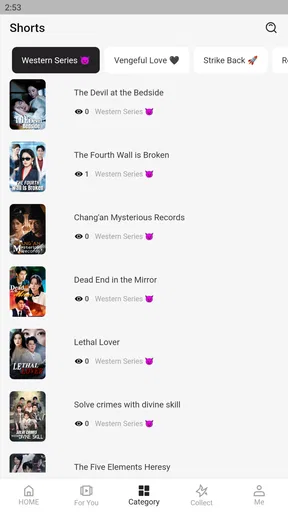
 Analysis by AppCompare
I approached OnSnap as a music and audio app rather than simply another place to press play. Its unusual positioning matters: the service is presented as an entertainment platform for ethnic Chinese users, so the real question is not only whether it can fill a quiet room with sound, but whether its audience focus and everyday controls make it comfortable to keep using. After spending time with it, my impression is cautiously positive. It feels most relevant to listeners who want a culturally focused audio destination and are willing to explore a newer service, while people who depend on a highly mature music ecosystem may prefer a more established alternative.
The app is free to download, with optional in-app purchases ranging from under a dollar to nearly forty dollars per item. That makes the first step easy, but it also means I would treat the payment screen as part of the experience, not as an afterthought. I would install it for casual listening, browse before committing to anything, and make sure every purchase choice is deliberate. The age classification is Everyone, which makes the app approachable for a broad household audience, although an age label should never be confused with a complete explanation of how an audio service handles accounts or personal information.
What OnSnap feels like in everyday use
I use this section to focus on the small routine that tells me whether OnSnap fits: opening it for a specific kind of listening, finding something without turning the session into a screen-heavy search, and deciding whether I want to return tomorrow. The useful test is not a perfect first impression but whether the app earns a place beside the audio tools I already reach for.
A focused alternative to a crowded music app
Many mainstream music apps try to serve everyone at once. They combine global hits, podcasts, radio, videos, recommendations, social functions, and subscription prompts into one large system. OnSnap takes a different route in its identity. Its appeal is tied to the ethnic Chinese entertainment audience, which gives the service a clearer cultural direction than a general-purpose player. For me, that focus is the most important reason to try it. If your listening habits are connected to Chinese-language entertainment or to a community that is poorly represented in your usual app, a focused catalog can be more useful than a technically polished but culturally broad service.
That focus also creates a practical trade-off. A specialist platform is valuable when it has the material and atmosphere you want, but it is less likely to replace every other audio tool on your phone. I would not uninstall a familiar music service immediately. Instead, I would use OnSnap beside it for a week: open it when I want its particular entertainment selection, then return to the general service for unrelated artists, international releases, or features I already know well. This two-app approach avoids forcing one platform to cover needs it was not designed around.
The developer is 香港瀚洋國際控股集團有限公司, and the current release is version 1.0.9. That version detail is worth checking before installation because early-stage apps can change quickly, and an update may alter navigation, account screens, or purchase presentation. I would also keep the app updated through the official store rather than relying on an old package, especially when the app involves sign-in or payments.
Who is likely to enjoy it
I see three clear audiences. The first is an ethnic Chinese listener who wants an entertainment hub with a more direct cultural connection than a global platform provides. The second is someone who enjoys discovering services outside the usual names and does not mind comparing experiences. The third is a household that wants a simple, broadly accessible audio app and is comfortable deciding independently whether optional purchases are worthwhile.
Worth Reading Before You Choose

Switching to Android Auto Means Rethinking Your Driving Routine

Google Calendar Makes a Crowded Week Easier to Manage

Baby Panda World Brings Quick Play to Modern Phones, but Its Game Library Feels Busy

ESPN’s Live Game View Makes Following Close Games Easier

QuizzLand Review: A Good Fit for Short Trivia Breaks, Not Every Player

Basketball Stars: Multiplayer Is Fast, but Can It Recover When Matches Go Wrong?
It is less suitable for a listener who wants a single, all-purpose library with deeply developed cross-device habits, extensive playlist tools, or a long history of polished account management. I would also hesitate to recommend it as the only app for someone who needs a very predictable workflow for commuting, offline listening, or professional music organization. Those users should first test the exact functions they rely on rather than assuming that the entertainment focus covers them.
A realistic routine for testing it
My suggested first-day routine is simple. Install the app when you have a few uninterrupted minutes, open it without buying anything, and inspect the welcome and account screens before starting a long listening session. Then search for the kind of Chinese-language entertainment you would actually use on a normal day. Do not judge it only by the first recommendation row. Try a direct search, browse more than one section, and notice whether the path from discovery to playback feels natural.
On a weekday evening, I would use it while cooking or tidying up. That scenario reveals more than a short store visit: can I find something without staring at the screen, does the app make me feel pushed toward a purchase, and can I return to a previous choice without getting lost? The next morning, I would repeat the test with a short listening session and then check the account area. This small routine exposes friction in navigation and user control before the app becomes part of a daily habit.
Trust, controls, and the moments that deserve attention
I pay closest attention to the points where casual listening becomes a choice with consequences: signing in, responding to a permission prompt, enabling alerts, or approaching an optional purchase. Those moments are easier to handle when I pause and make one decision at a time, so the next section looks at practical ways to keep control without letting account and payment checks overshadow the entertainment itself.
What I would verify before becoming a regular user
Trust in an entertainment app is built through visible choices, not through a friendly description alone. When I try a service like this, I look for clear account controls, understandable purchase confirmations, and settings that let me see what I have chosen. I want to know which actions require an account, what can be used without signing in, and whether the app gives me an obvious route to adjust or remove my account. I would make those checks inside the app and in the official store’s permission and privacy sections before settling in.
I am deliberately careful here because the most important privacy details are encountered at specific moments. An app may feel harmless while playing audio, yet the sign-in screen, permission request, or payment prompt can change the decision. I would read each request instead of tapping through automatically. If a permission appears unrelated to the task I am trying to complete, I would pause and decide whether the feature is worth granting it. That is not a criticism of OnSnap specifically; it is the sensible way to evaluate any service that combines entertainment with an account.
The same applies to notifications. A music app can become irritating if alerts are enabled by habit rather than choice. I would start with notifications disabled or limited, then turn on only the ones that have a clear benefit. If the app offers separate choices for recommendations, promotions, or account events, I would keep the useful alerts and reject the rest. The best control is the one I can understand without guessing.
Data-sensitive moments are more important than the player
The playback screen is usually the least sensitive part of an app. The moments I would watch more closely are account creation, search history, saved content, and purchases. Search can reveal personal interests, while saved entertainment choices can gradually describe a household’s tastes. I would therefore avoid creating an account until I know what the account unlocks, and I would use the smallest amount of personal information that the app itself clearly requires.
I would also review the account area after a few sessions rather than waiting until there is a problem. Look for sign-out, password or login management, purchase history, and any option to control recommendations or stored activity. If those controls are easy to find, that improves my confidence because it shows that the user is not expected to surrender control after registration. If I have to hunt through unrelated menus, I would keep my use light until I understand the consequences.
Payments deserve the same patience. Because the app is free but includes optional items, I would never treat a prominent purchase button as part of ordinary playback. I would confirm the item, the amount, and the account being charged before approving anything. On a shared device, I would use the operating system’s purchase authentication and avoid leaving a payment screen open. This is especially important in a family setting, where the Everyone age classification may make the app accessible to younger users even though purchasing remains an adult responsibility.
How much agency the user should expect
User agency is not only the ability to press play. It includes being able to decide whether to register, whether to receive alerts, whether to spend money, and whether to continue using the service. I would evaluate OnSnap through those four decisions. Can I explore before committing? Can I distinguish free use from paid options? Can I change my mind without losing access to basic navigation? Can I leave cleanly if the app does not fit my routine?
My practical advice is to keep the first session reversible. Do not build a large personal library immediately, do not approve every prompt just to reach the home screen, and do not make a purchase until you know how the service fits your listening habits. This approach is particularly useful with a newer app because it lets you assess the experience on its own terms. It also prevents a common mistake: confusing initial curiosity with long-term value.
Another useful habit is to separate discovery from commitment. Browse the service when you have time, note what you genuinely return to, and only then decide whether an account or optional item improves the experience. If the app becomes a regular part of your routine, revisit its settings after updates. Version 1.0.9 is the current release, and changes between releases can affect where controls appear or how the app presents choices. A quick settings check is a small price for staying in charge.
How it compares with familiar alternatives
Against a major global streaming service, OnSnap’s strongest possible advantage is its cultural direction. A broad platform may have a larger overall ecosystem, but its recommendations can feel scattered when I want a more specific entertainment context. OnSnap is the one I would open first when the audience focus matches my interests. The established service remains preferable when I need a mature cross-platform routine, a huge range of unrelated content, or tools I have already organized over years.
Against a radio app, the comparison is different. Radio is convenient when I want someone else to choose the flow, while a focused entertainment platform gives me more reason to search and explore intentionally. I would choose radio for background sound with minimal interaction and OnSnap for targeted discovery. Against a video-first platform, OnSnap may be more comfortable when I want audio to accompany a task rather than a screen to watch, but I would not assume that every video-oriented discovery habit has an equivalent here.
The important point is that I would not judge the app by whether it replaces every alternative. Its value is narrower and more personal: does its ethnic Chinese entertainment focus make my preferred listening easier to reach? If yes, it earns a place alongside other services. If no, the broader catalog and established controls of a familiar alternative may be the better choice.
What the audience numbers suggest, without treating them as proof
The app has a 4.4 average from around four hundred ratings and has passed one hundred thousand installs. Those figures indicate that real users are trying it and that the store response is generally favorable, but they are not a substitute for my own fit test. A rating cannot tell me whether the catalog matches my language preferences, whether the account controls feel clear, or whether the purchase flow is comfortable on my device.
I would read the review area with the same caution. A single written review is not enough to establish a broad pattern, either positive or negative. I would use the rating as a reason to investigate, not as permission to skip the investigation. For an app built around a particular audience, personal relevance matters more than a general score.
My cautious verdict
I recommend trying OnSnap if you are specifically interested in an entertainment platform aimed at ethnic Chinese users and you are comfortable evaluating a newer service carefully. Its free entry removes the biggest barrier to experimentation, while the Everyone classification makes it approachable for general household use. The combination of cultural focus and accessible pricing structure gives it a clear reason to exist beside mainstream music apps.
My recommendation comes with boundaries. I would begin without an in-app purchase, inspect every account and permission choice, limit notifications, and test the exact listening workflow I need. I would keep another music option available until OnSnap proves that it can handle my routine reliably. The optional items, from under a dollar to nearly forty dollars each, make careful confirmation especially important before spending.
In the end, I see this as a focused companion rather than an automatic replacement for every audio service. The best reason to install it is cultural relevance, not the promise of universal coverage. If that relevance matches what you listen to, the app is worth exploring. If your priority is a highly mature, all-in-one music system with familiar controls everywhere, I would choose the established alternative and treat OnSnap as an optional supplement. My final advice is simple: explore freely, protect your account choices, and let repeated everyday use—not the store score alone—decide whether it belongs on your phone.
Pros
- Quickly captures and shares moments with minimal setup.
- Simple interface makes core camera tools easy to find.
- Useful for spontaneous photos and short video clips.
- Sharing options help send content directly to friends.
- Lightweight design feels accessible for casual users.
Cons
- Some features may require account access or extra permissions.
- Photo quality can vary in low-light conditions.
- Editing tools may feel limited for advanced creators.
- Frequent sharing can use significant mobile data.
- Privacy settings may need careful review before posting.
FAQs for OnSnap
What is OnSnap and what can I use it for?
OnSnap is a mobile application focused on capturing, editing, and sharing visual content through a simple smartphone-based workflow. Depending on the version and platform, it may include tools for taking photos or videos, applying effects, adding text, and organizing or sharing creations. Before downloading, check the current store description because available features can differ between Android and iOS versions.
Is OnSnap free to download and does it include in-app purchases?
OnSnap may be available as a free download, but some tools, filters, premium functions, or ad-free options can require payment. The exact pricing model depends on your device, region, and the version listed in Google Play or the App Store. Review the purchase details and subscription terms before confirming any transaction, especially if the app offers recurring memberships.
What permissions does OnSnap require?
Because OnSnap is designed around visual content, it may request access to your camera, photo library, videos, microphone, or device storage. These permissions are normally needed for capturing, importing, editing, or saving media. You can review and change access in your phone’s privacy settings. If a permission seems unrelated to the feature you are using, consider denying it until necessary.
Does OnSnap work without an internet connection?
Some basic functions, such as opening the camera or editing media already stored on your device, may work offline. However, features involving account synchronization, cloud storage, online templates, advertisements, social sharing, or downloading additional content usually require an internet connection. Offline availability can vary by version, so test the app before relying on it while traveling or in areas with limited connectivity.
Is my content private when I use OnSnap?
Privacy depends on how OnSnap stores, processes, and shares your photos, videos, and account information. Before using the app extensively, read its privacy policy and review whether media is uploaded to external servers or retained for backups and processing. Avoid granting unnecessary permissions, and be careful when using public-sharing features. Also check the app’s account and deletion options if privacy is important to you.


